


There is no OnlySpins app for Android or iOS, so if you are in New Zealand looking for a download, it is not there. Everything runs through your mobile browser, whether you are on a phone or tablet.
On a decent device with stable internet, the site does a solid job. Games load, navigation holds up, and you can move between slots or live tables without too much friction. It feels close to an app, but it is still just a browser experience underneath.

The cracks show when your setup is not strong. On older Android phones, lower-spec devices, or weaker connections, things slow down. Loading times stretch, switching between games becomes clunky, and that breaks the flow of a real session.
That is the tradeoff. No download needed and easy access, but you are relying on your device and connection to carry the experience.
Can I play via phone from New Zealand?
Yeah, you can play from your phone in New Zealand, no problem. There is no app, so you just load it through your browser and get on with it. On a newer device with decent internet, it runs fine and feels close enough to an app. But if you are on an older phone or patchy connection, you will feel it. Slower loads, clunky switching, and that starts to get in the way once you are actually trying to play.
OnlySpins Android App
There is no dedicated Android app for OnlySpins, so you are relying entirely on the browser version. That is fine if your phone can handle it. Ideally, you want a newer Android device with at least 4GB of RAM and a stable connection. Anything below that and you will start noticing slower loads and lag when switching between games, especially during longer sessions.
If you still want that app-like feel, the closest workaround is adding the site to your home screen:
- Open OnlySpins in your mobile browser (Chrome works best)
- Tap the menu icon in the top right
- Select “Add to Home Screen”
- Confirm the name and add it
- Launch it from your home screen like a regular app
It is not a true app, but it cuts out a few steps and makes access quicker. Just keep in mind, performance still depends on your device and connection, not the platform itself.
OnlySpins iOS App
There is no iOS app for OnlySpins, so if you are on an iPhone or iPad, you are playing through Safari. On a newer device, it runs fine most of the time. We had no major issues getting between games, but it still feels like a website, not an app. You notice that when you switch tabs or your connection drops for a second.
You can make it easier to access by adding it to your home screen:
- Open OnlySpins in Safari
- Tap the share icon
- Hit “Add to Home Screen”
- Save it and launch it from there
OnlySpins Web Version
The web version is the whole experience on OnlySpins, whether you are on desktop, Android, or iOS. There is no fallback, so your device needs to carry it. On a solid setup, think a newer laptop or phone with at least 8GB RAM on desktop or a recent Android or iPhone, it runs smoothly enough. I had no real issues moving between sections or loading games when the connection was stable.
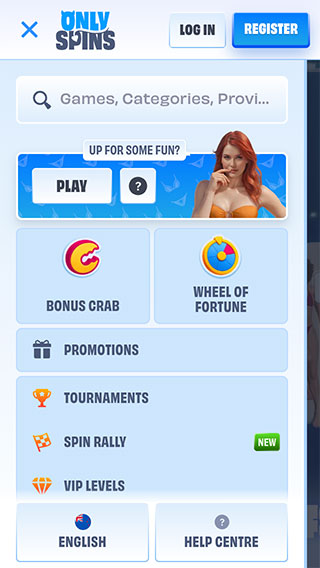
The problem shows up when you push it on weaker hardware. Older Android devices or iPhones start to lag, especially when switching between games or loading heavier slots. Same thing on desktop if you are running multiple tabs or low on memory. It is playable, but it loses that quick, responsive feel you want during a session. This is one of those platforms where your setup makes a big difference.
Mobile Experience Wrap-up
OnlySpins on mobile is playable, but it is not built for comfort. You are running everything through a browser, and that shows once you spend more than a few minutes on it.
Short sessions are fine. Jump in, spin a few slots, maybe check a live table. No real issues there. The problems creep in when you try to stay longer or move around a lot. Switching between games is not instant, and if your connection wobbles, you are dealing with reloads at the worst possible time.
We found OnlySpins’ casino perfectly usable, but not something we would necessarily rely on for longer sessions. It feels like a desktop platform squeezed onto mobile, not something designed for it.