


Betscore does not have a native mobile app. There is no Android download and no iPhone app, so every mobile session runs through the browser. That is not automatically a deal-breaker, but Betscore is a demanding site. The large casino lobby, live dealer streams, animated game tiles and constant filters ask more from a phone than a basic betting page would. On a newer device, it is manageable. On an older or budget handset, expect more waiting, more heat and more battery drain.
Can I Play via Phone from New Zealand?
Yes. New Zealand players can use Betscore through a mobile browser and keep the same account, balance, games, bonuses and payment section available on desktop. Sports bettors get the full pre-match and live setup on mobile, including football, horse racing and the wider market selection covered in our Betscore Sportsbook New Zealand guide
Casino players also get the complete lobby, with slots, live tables, jackpots and provider filters. Our Betscore Casino New Zealand guide breaks down the games, live casino, providers and bonus offers in more detail.
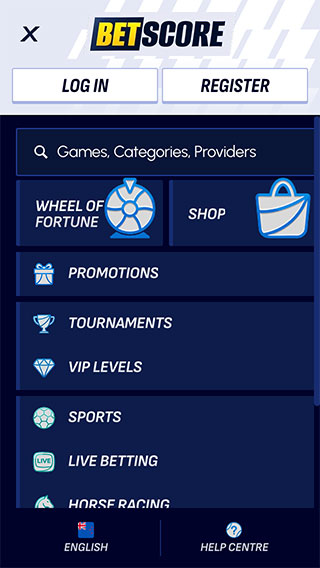
The layout adapts well enough to smaller screens, but this is not a lightweight site. I would use search and filters heavily, especially in the casino, and avoid leaving several live tables or game tabs open at once. A strong Wi-Fi or 5G connection makes the biggest difference in live casino. Slots are less demanding, but heavier titles can still run poorly on lower-end devices.
Betscore Android App
There is no Betscore Android app. Android players need to open the site in Chrome or another current browser. You can save a browser shortcut to the home screen, which gets you close to an app-style launch without installing anything.
For newer Android phones, the browser version does the job. Older devices may struggle with live dealer video, animated lobbies and heavier slots. I would close background apps before a long casino session and keep Chrome updated.
Betscore iOS App
Betscore does not offer an iOS app through the App Store. iPhone and iPad players use Safari or another supported browser. A home-screen shortcut makes access quicker, but it is still the web version underneath.
Recent iPhones should handle the casino well enough, especially when sticking to one game at a time. Older models may feel the strain in live casino, where video streaming and game animations put more pressure on memory and battery.
Web-Based Application
The browser version is the only mobile option, and it carries the full Betscore experience. Players can register, deposit, withdraw, bet on sports, claim bonuses, use casino filters and open live dealer games without installing software.
The best part is access. There are no app-store restrictions, manual updates or separate login details. The downside is performance. A native app could be better optimised, while the browser has to load the full lobby each time.
Betscore’s studio and game-type filters earn their keep here. On mobile, I would go straight to the category I want rather than scroll through the homepage. That saves data, time and patience.
Technical Requirements
Betscore does not publish a specific minimum device list. As a practical baseline, I would use:
- Android 10+ or iOS 17+
- An updated version of Chrome, Safari or Firefox
- At least 4 GB of RAM for smoother live casino use
- Stable Wi-Fi, 4G or 5G
- JavaScript and cookies enabled
- Enough free storage for browser cache
- Screen rotation enabled for games that work better in landscape mode
These are our hands-on recommendations rather than official Betscore requirements. Lower-spec phones may still open the site, but opening it and running it comfortably are two different things.