


Let’s be honest, most of us aren’t sitting at a desk with a dual-monitor setup when we want to spin a few reels. We’re on the bus, waiting for a coffee, or lounging on the couch. Golisimo clearly knows this, but their approach to mobile gaming is a bit of a double-edged sword. While it’s incredibly accessible, it lacks that “polished” feel you get from a good old native app.
I’ve spent quite a bit of time testing the platform on Android and iOS, and there’s a lot to unpack. From the lack of a native download to how the site behaves when your Spark or Vodafone signal bars start to dip, here is the unfiltered review of Golisimo’s mobile casino.
Can I Access Golisimo on My Phone From New Zealand?
Yes, you can, and it’s arguably the easiest way to play. Because Golisimo operates as an offshore platform, they’ve sidestepped the whole “regional lockout” mess that sometimes plagues local NZ gambling apps. You don’t need a VPN, and you don’t need to change your Apple ID or Google Play region to “United Kingdom” just to see the app.
As long as you have a mid-range smartphone and a halfway decent internet connection, the site is wide open. However, “accessible” doesn’t always mean “perfect.” While the site is built using HTML5 (meaning the games scale to your screen size), the sheer scale of Golisomo’s casino in particular (4,000+ games) can feel like a lot for a mobile browser to juggle.
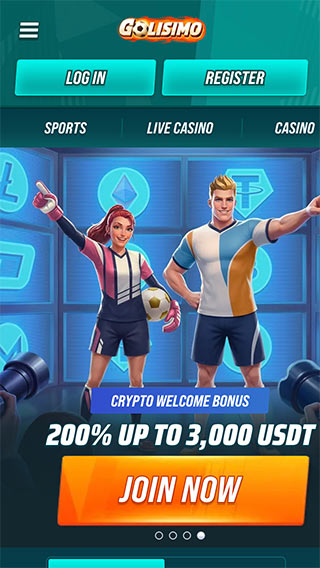
Golisimo Casino – Android Experience
If you’re searching the Play Store for an official Android app, you can stop now. It doesn’t exist. Golisimo hasn’t released a native Android application for download, which is a significant minus in my book.
Without a dedicated app, you lose out on several “quality of life” features that Android users usually take for granted:
- Biometric Login: You can’t just tap your fingerprint sensor to log in; you’ll be typing your password into a browser field every time.
- Push Notifications: You won’t get alerts for those “limited time” mid-week reload bonuses. You have to manually check the promos tab.
- Resource Management: Native apps are better at managing your phone’s RAM. In a browser, if you have 15 other tabs open, you might notice some stuttering.
- A word of caution: You might find “Golisimo APK” files on third-party websites. Do not download these. They are almost certainly malware or phishing attempts. If it isn’t on the official site or the Play Store, it isn’t real.
Golisimo Casino – iOS Application
It’s a similar story for the iOS crowd. There is no Golisimo app sitting in the App Store. For iPhone users, this means no native integration with Apple Pay (though you can still use it through the browser if your cards are saved) and no FaceID support for instant access.
The biggest frustration here is the lack of “staying power.” Mobile browsers like Safari tend to “refresh” tabs if you switch to a different app, like answering a text or taking a call. If you’re mid-spin or, worse, sitting at a Live Blackjack table, that refresh can boot you from the game. A native iOS app would usually handle those interruptions much more gracefully.
Web-Based Mobile Platform
Since there’s no app to download, the web-based platform is the only way to play. On a strong Wi-Fi connection, it’s actually quite impressive, especially Golisimo’s sportsbook, which works effortlessly despite the massive coverage. The “hamburger” menu is easy to navigate with one thumb, and the game tiles are large enough that you won’t accidentally click the wrong one.
However, here is where my biggest gripe comes in: Connection Sensitivity. Because there is no native software to “pre-load” assets like symbols, sounds, and backgrounds, your phone has to download everything on the fly. On a strong 5G connection in downtown Auckland, it’s fine. But if you’re on a weaker 3G or 4G connection in a more rural part of the country, the experience falls apart. It works well with Golisimo’s sportsbook, but the mobile casino quickly loses steam as your bars drop.
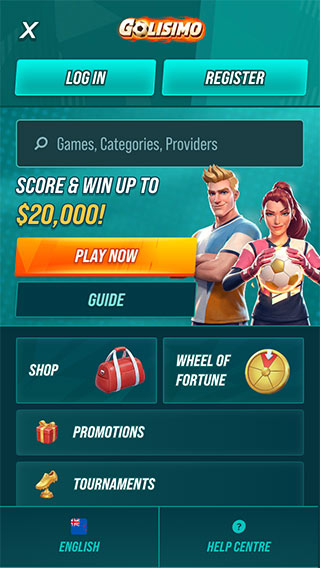
The “Poor Man’s App” Hack: If you want to make it feel more like an app, you can add a shortcut to your home screen.
- Open Golisimo in Safari (iOS) or Chrome (Android).
- Tap the ‘Share’ or ‘Menu’ button.
- Pick Add to Home Screen.
- Choose a name and confirm.