


Spinbara doesn’t have a native app. No App Store listing, no Android download. If you’re in New Zealand, you’re using the mobile browser, full stop.
The site does adapt to mobile, and you can get around it. Sidebar navigation is still there, categories load, games open. But you feel the strain straight away. This is a heavy platform with a lot of content stacked in, and without a proper app to streamline it, everything takes an extra second. Menus take longer to load, switching between sections isn’t instant, and it adds up during a session.
That’s where it becomes a problem. If you’re trying to move quickly between games or jump on a bet, that delay costs you time and focus. It works, but it’s not sharp. Without a dedicated mobile app, you’re always dealing with a slower version of the platform rather than something built for the job.
Can I Play via Phone from New Zealand?
You can use Spinbara on your phone in New Zealand, no problem, and the mobile version covers all the main functions. You can access games, switch between casino and sportsbook, and manage your account without missing features.
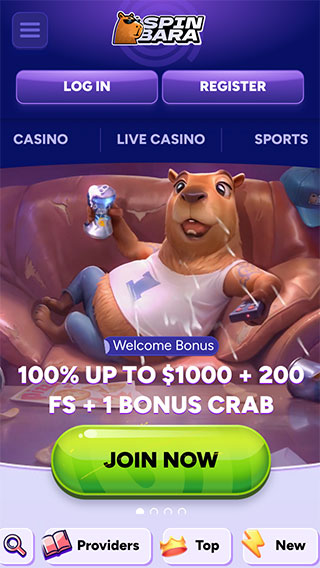
The issue is how it handles under pressure. With a platform this heavy, mobile navigation starts to feel stretched. Jumping between sections or loading game lobbies takes longer than it should, and that slows you down if you’re trying to move quickly during a session. It holds together, but it’s not built for speed, and that shows the more you use it.
Spinbara Casino Android App
There’s no Spinbara Android app, so you’re relying on the browser version. Because the platform is heavy, your device matters more than usual. If you’re running an older phone or low RAM setup, expect slower loading and more lag when switching between sections. On a newer Android device, it’s manageable, but you’re still not getting the efficiency of a native app.
If you want something closer to an app feel, you can pin the site to your home screen:
- Open Spinbara in your mobile browser (Chrome works best)
- Tap the menu icon in the top right
- Select “Add to Home Screen”
- Confirm and place the shortcut
It helps with access, but it doesn’t change performance. You’re still running the full site through a browser, just with a quicker way to launch it.
Spinbara Casino iOS App
Spinbara doesn’t have an iOS app, so there’s nothing to download from the App Store. You’re running everything through Safari, and with a platform this packed, performance leans heavily on how strong your device is. On a newer iPhone, it holds up, but once you start moving between sections or loading multiple games, you can feel the extra load time creeping in. It’s not breaking, just not sharp.
You can pin it to your home screen if you want quicker access:
- Open Spinbara in Safari
- Tap the share icon
- Select “Add to Home Screen”
- Confirm the shortcut
That cuts out a step when launching, but it doesn’t fix the core issue. You’re still navigating a full site on mobile, and that shows the longer you stay on it.
Web-based application
Spinbara runs entirely through a web-based setup, but it’s clearly built with mobile play in mind. The layout adapts well, navigation stays intact, and you’re not losing features when switching from desktop to phone. Everything is there, just scaled down to fit the screen.
That said, you’re still running a full platform through a browser. During longer sessions, the weight shows. Moving between Spinbara’s casino and the Spinbara sportsbook or loading game lobbies isn’t as quick as it should be. When I was navigating through it, those small delays started stacking up, especially when switching sections repeatedly.
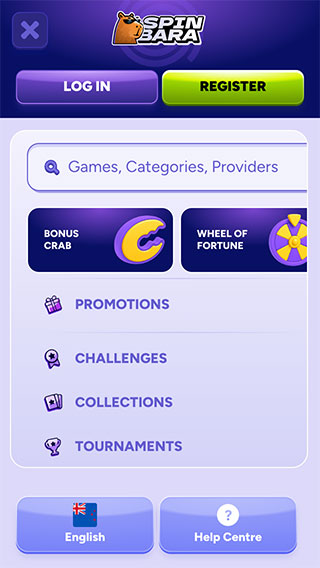
So while it’s designed to work on mobile, it doesn’t feel optimised for speed. It’s functional and complete, but not something that keeps up if you’re trying to move fast.
Android & iOS Recommended Specs
Spinbara isn’t lightweight, so you’ll want a device that can actually handle it. A mid to high-end phone with at least 4GB of RAM is the baseline if you don’t want constant slowdowns. On Android, anything from the last few years running a recent OS version will do the job.
The same goes for iOS with a newer iPhone. You also need a stable internet connection, because this platform is constantly loading content in the background. When I was moving through sections, weaker connections made the delays more noticeable, especially when jumping between casino and sportsbook. It runs on lower-end devices, but that’s where the experience starts to drag.